First authorized assessment
On this page
This walkthrough covers a network assessment of an authorized web or API target. For repository-only source analysis, see SAST languages and source files.
#Before you start
- Your organization has a provisioned Workbench workspace and you can sign in.
- A project owns the target.
- You have current authorization for the target and a reviewed included scope.
- Exclusions, permitted test identities, and any approved testing window are clear to the people running the assessment.
#Set up the assessment
- Open Project spaces and select or create the project for the target.
- Open Target authorization and confirm the target is covered by the project's current authorization and included scope.
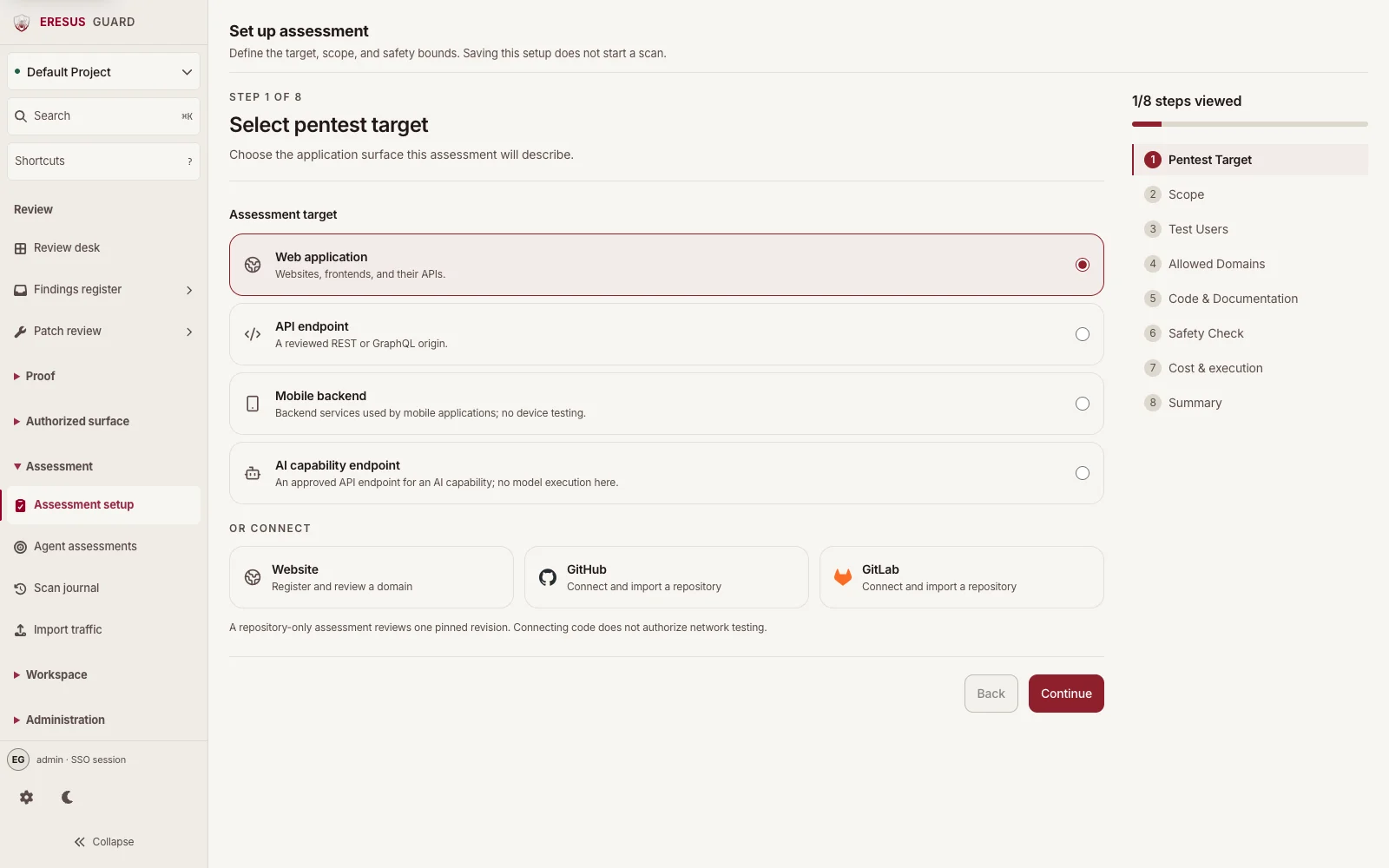
- Open Assessment setup and choose the web or API target type.
- Work through the setup steps for scope, optional test-user references, allowed domains, safety checks, execution settings, and summary. Use only the hosts and paths covered by the authorization.
- Review the summary and save the assessment setup. Saving records the definition; it does not send traffic or start a scan.
#Start and follow the run
- After saving, review the readiness result. Workbench checks current authorization, scope, entitlement, queue availability, and safety limits before it permits a run.
- Confirm that you are authorized to send active traffic, then choose Start authorized scan. If Workbench reports a blocker, resolve it before trying again.
- Open Scan journal to follow the run status and review its finding counts.
- Open Findings register to inspect results. For a finding with captured evidence, follow its HTTP Records or OAST callback and review the record before deciding how to handle it.
Keep the next run within the same current authorization and scope. A saved setup does not extend authorization or add newly discovered hosts.
#Related guides
- How to use Guard
- Workbench guide
- Scope and safety
- Authenticated testing
- Findings, HTTP Records, and OAST
Need a workflow that is not documented here? Email contact@eresussec.com.