Review the source code your team authorizes.
Workbench Source analysis evaluates an approved repository or uploaded source archive at a pinned snapshot and cites files, lines, and snippets for review.
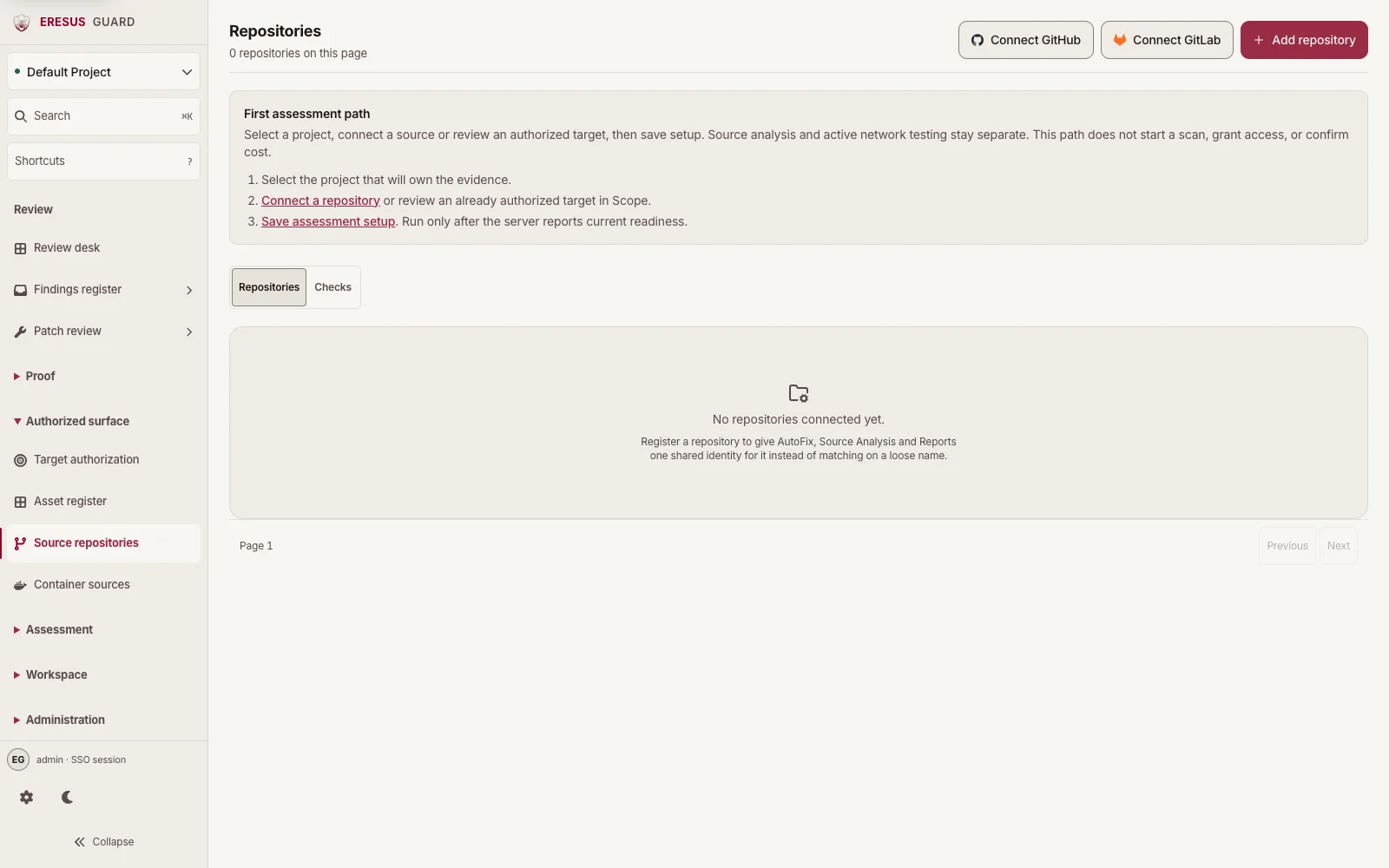
Connect a source in Repositories.
Connect GitHub or GitLab, add the repository in Repositories, then select it in the Code & Documentation step of Assessment setup. Source analysis stays separate from network testing.
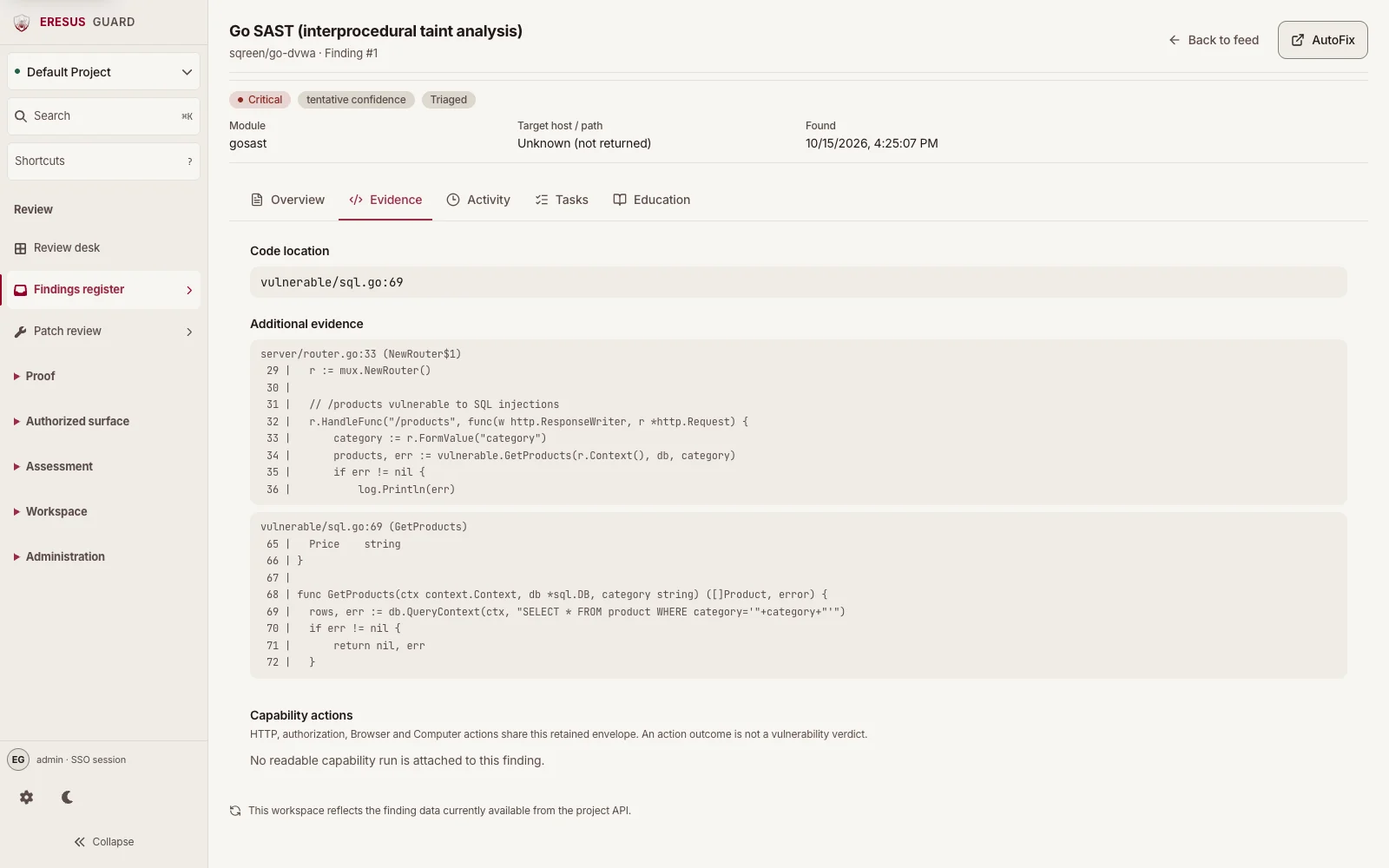
Review the finding evidence before remediation.
This real Go SAST result from sqreen/go-dvwa shows the original source and sink excerpts, imported from the recorded October 15 analysis into the current Workbench. Its confidence remains tentative; it has no captured HTTP exchange.
Three steps from approved scope to a reviewable result.
- 1
Connect GitHub or GitLab, then add an approved repository in Repositories.
- 2
Select the repository in the Code & Documentation step of Assessment setup.
- 3
Review the source location and evidence before remediation.